यह आर्टिकल अभी हिंदी में नहीं है, इसलिए इसे अंग्रेज़ी में दिखाया जा रहा है।
कैसे करें
Live order tracking
Track riders and deliveries in real time.
Live order tracking lets your customers follow their rider on a map until the order arrives. In Ordrio it comes as the Live Order Tracking add-on, and you can add In-House Delivery Fleet to run your own riders, assign orders to them and track them.
Before you start
- Live tracking follows a rider, so it is for orders you deliver yourself. In Settings > Delivery settings, under Ways to deliver, check that Your own delivery is switched on.
- Both add-ons are paid monthly. Keep a UPI app or bank account ready to pay.
Add Live Order Tracking
- Open nadi.ordrio.com (your Ordrio admin panel) and log in.
- In the left menu, under Grow, click Add-ons.
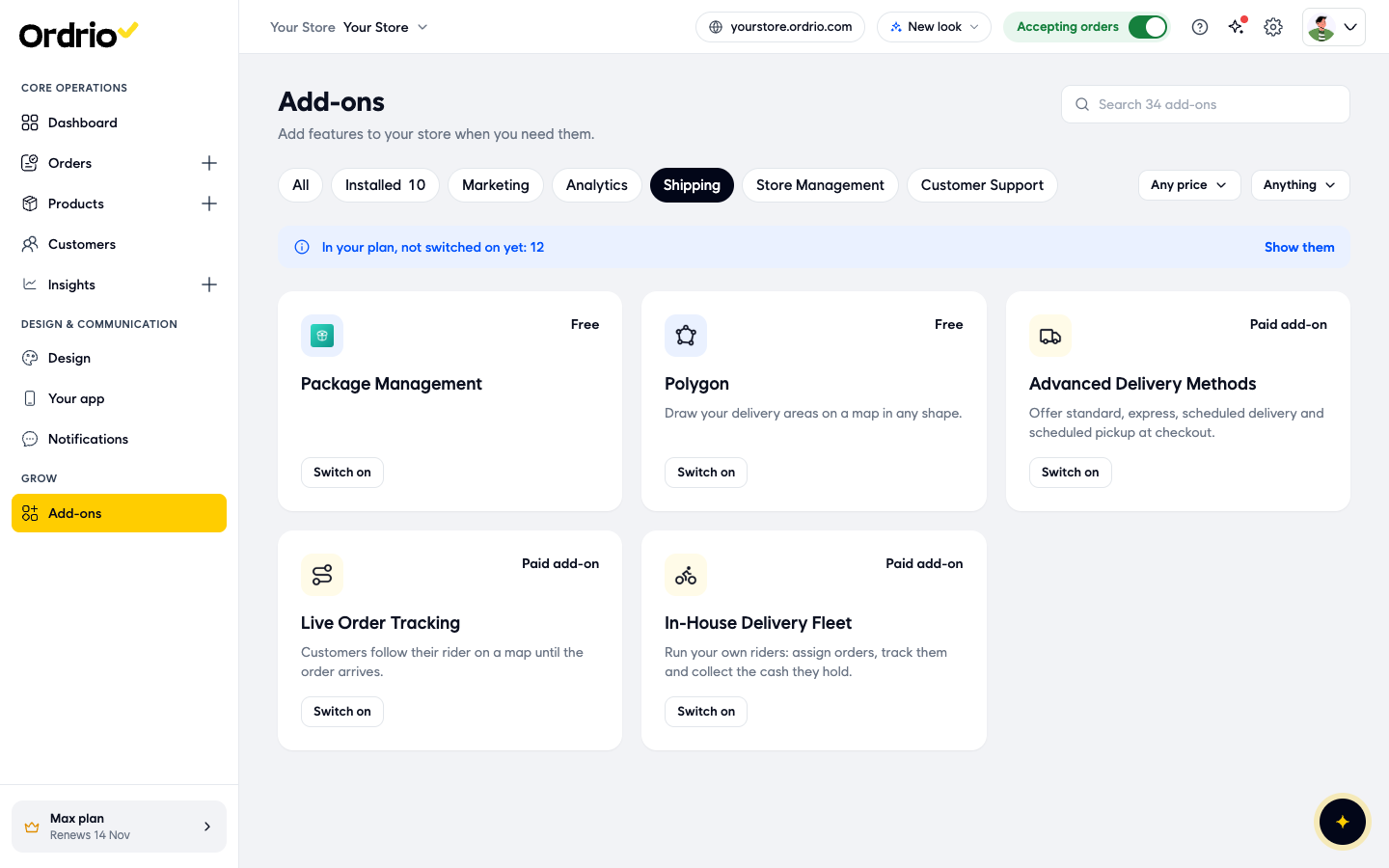
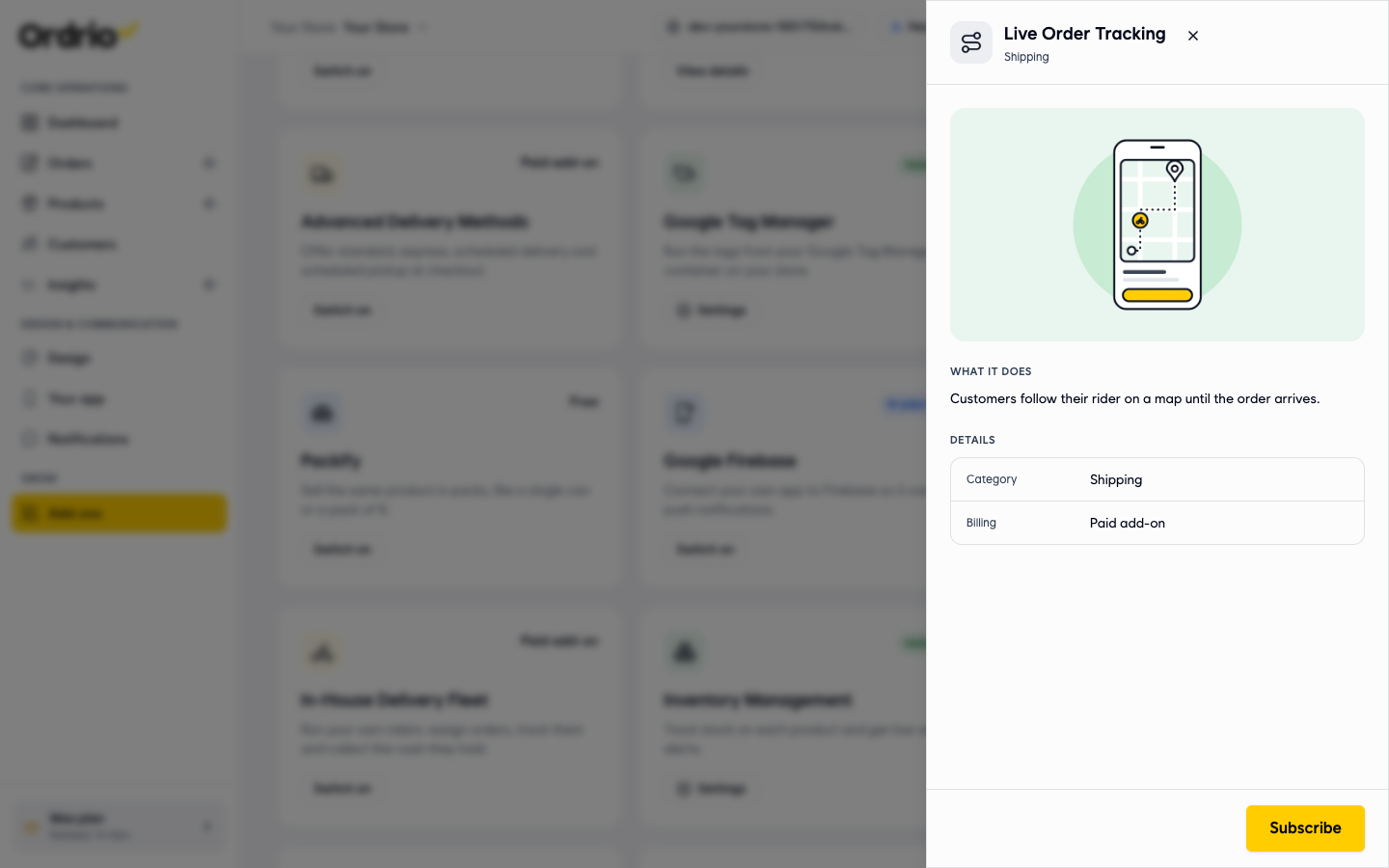
- Click Subscribe. The Add Live Order Tracking window opens.
- Check the price lines in the window:
- Live Order Tracking: the monthly price of the add-on.
- Subtotal: the total monthly price.
- Today, till your renewal: what you pay now, only for the days left in your current billing cycle. The full price starts from your next plan renewal date, shown under the price box.
- GST at 18%: the tax on today's amount.
- Pay now: the total you pay today.
- Under the price box, choose how to pay:
- Pay and turn on autopay: renewals are charged on their due date, and you get a reminder 3 days before. After you pay, you approve autopay in your UPI or bank app. Pay this invoice only: autopay stays off. You pay future invoices yourself.
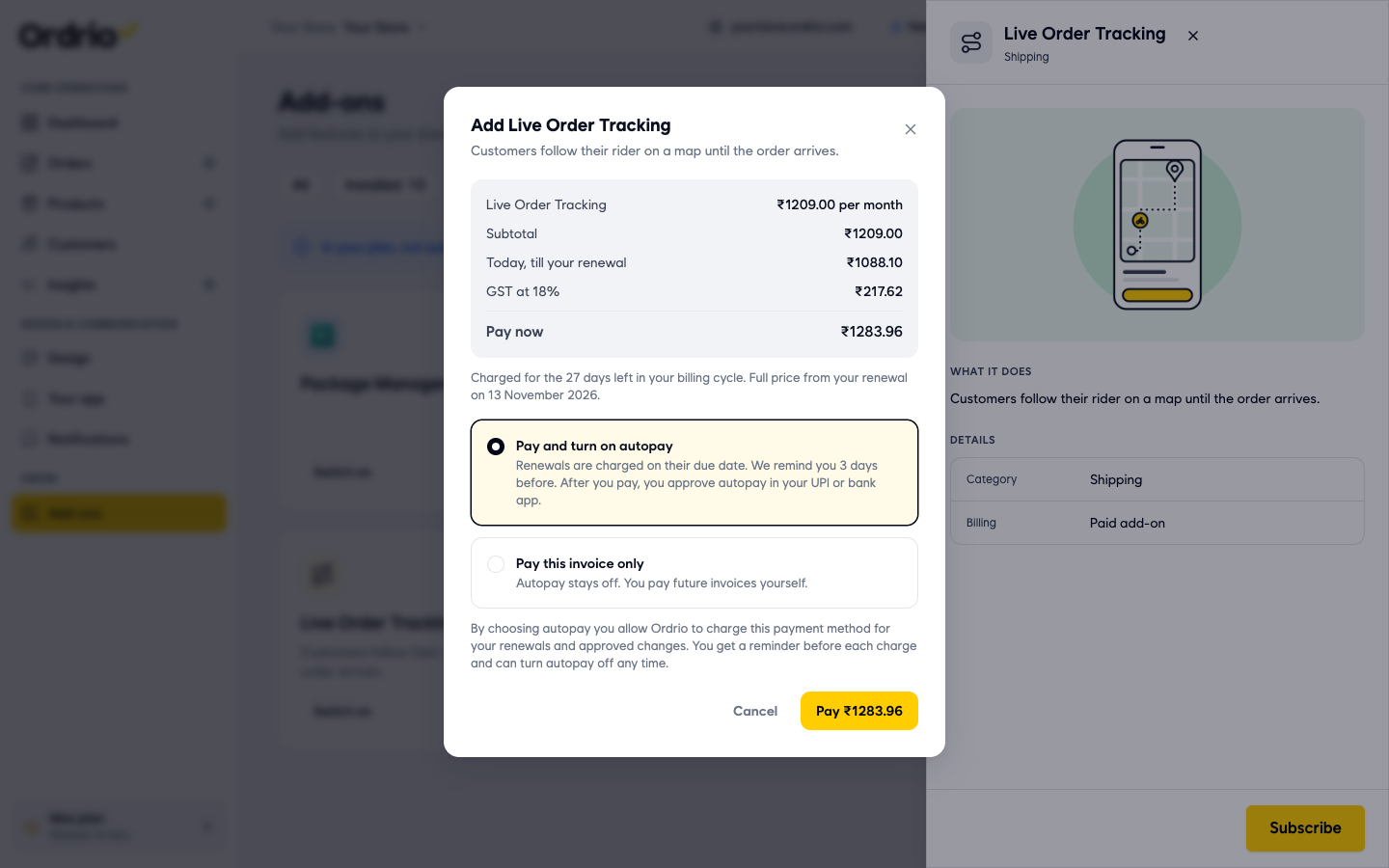
- Click the Pay button (it shows the amount, for example Pay ₹1283.96) and complete the payment. To stop without paying, click Cancel.
Add In-House Delivery Fleet for your own riders
In-House Delivery Fleet lets you run your own riders: assign orders, track them and collect the cash they hold. Add it the same way:
- In Add-ons > Shipping, click Switch on on the In-House Delivery Fleet card.
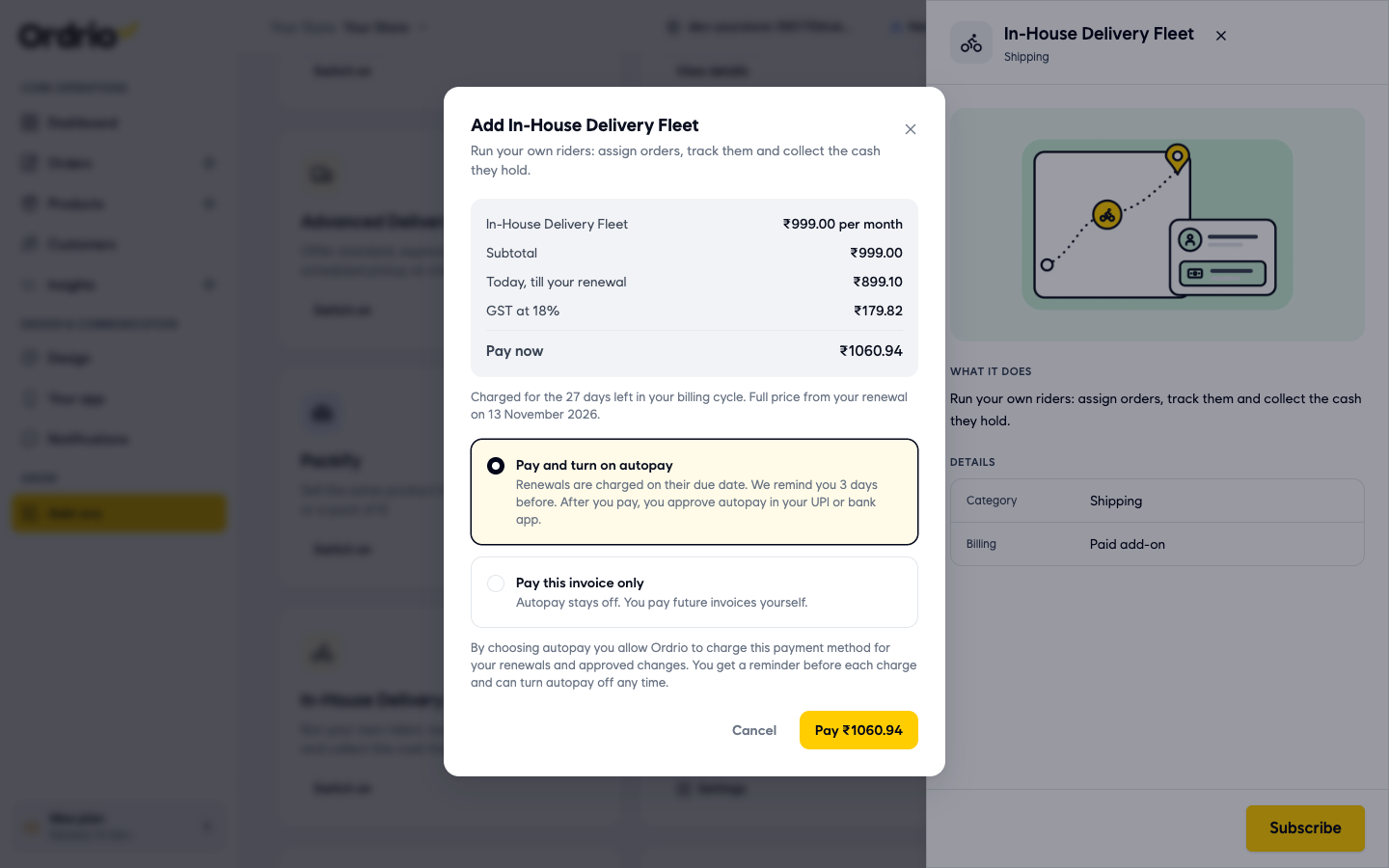
- Choose Pay and turn on autopay or Pay this invoice only, then click Pay and complete the payment.
Good to know
- Both add-ons are in the Shipping category and are billed as Paid add-on. The price in this article's screenshots is only an example. Your window always shows your own price.
- The first payment covers only the days left in your billing cycle. After that, the add-on renews at full price with your plan.
- With autopay on, you can turn it off any time.
- Live Order Tracking is what your customers see: their rider on a map until the order arrives. In-House Delivery Fleet is for you: assigning orders to riders, tracking them and collecting the cash they hold.
Related
- Delivery models explained
- Assigning orders to riders and delivery partners
- Enabling and managing add-ons
- Viewing and managing orders
क्या यह आर्टिकल काम का था?