How-to guide
Live order tracking
Track riders and deliveries in real time.
Live order tracking lets your customers follow their rider on a map until the order arrives. In Ordrio it comes as the Live Order Tracking add-on, and you can add In-House Delivery Fleet to run your own riders, assign orders to them and track them.
Before you start
- Live tracking follows a rider, so it is for orders you deliver yourself. In Settings > Delivery settings, under Ways to deliver, check that Your own delivery is switched on.
- Both add-ons are paid monthly. Keep a UPI app or bank account ready to pay.
Add Live Order Tracking
- Open nadi.ordrio.com (your Ordrio admin panel) and log in.
- In the left menu, under Grow, click Add-ons.
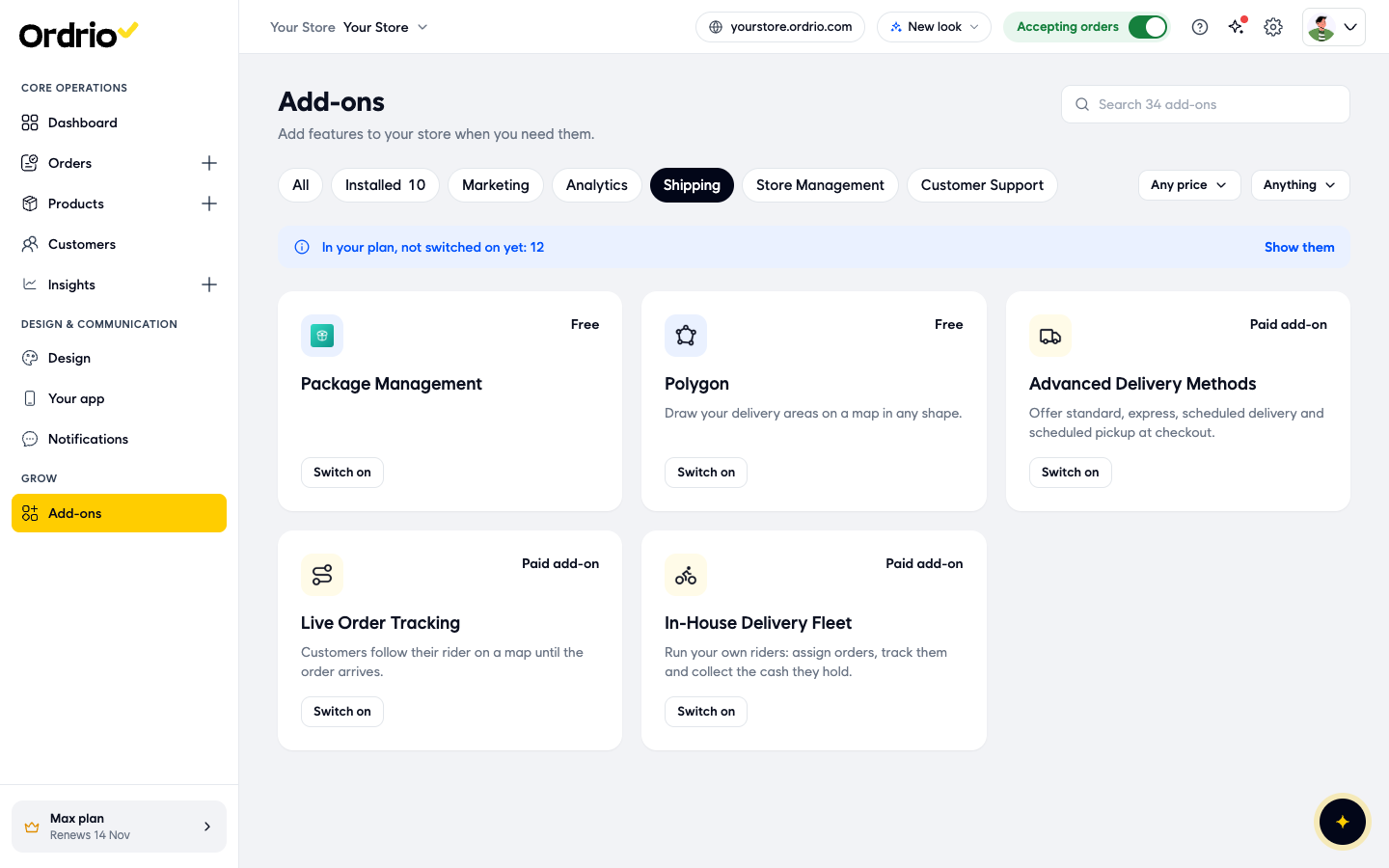
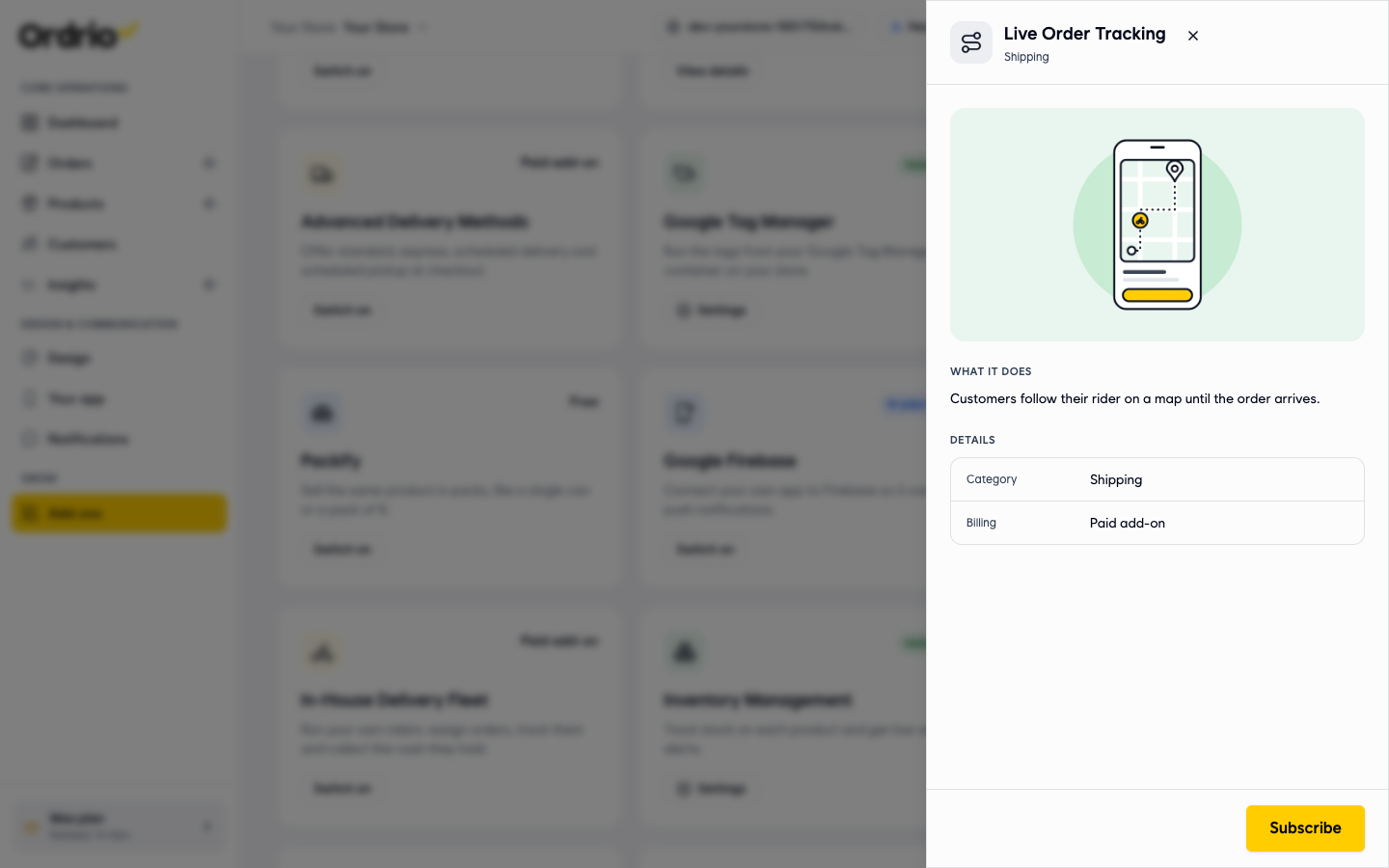
- Click Subscribe. The Add Live Order Tracking window opens.
- Check the price lines in the window:
- Live Order Tracking: the monthly price of the add-on.
- Subtotal: the total monthly price.
- Today, till your renewal: what you pay now, only for the days left in your current billing cycle. The full price starts from your next plan renewal date, shown under the price box.
- GST at 18%: the tax on today's amount.
- Pay now: the total you pay today.
- Under the price box, choose how to pay:
- Pay and turn on autopay: renewals are charged on their due date, and you get a reminder 3 days before. After you pay, you approve autopay in your UPI or bank app. Pay this invoice only: autopay stays off. You pay future invoices yourself.
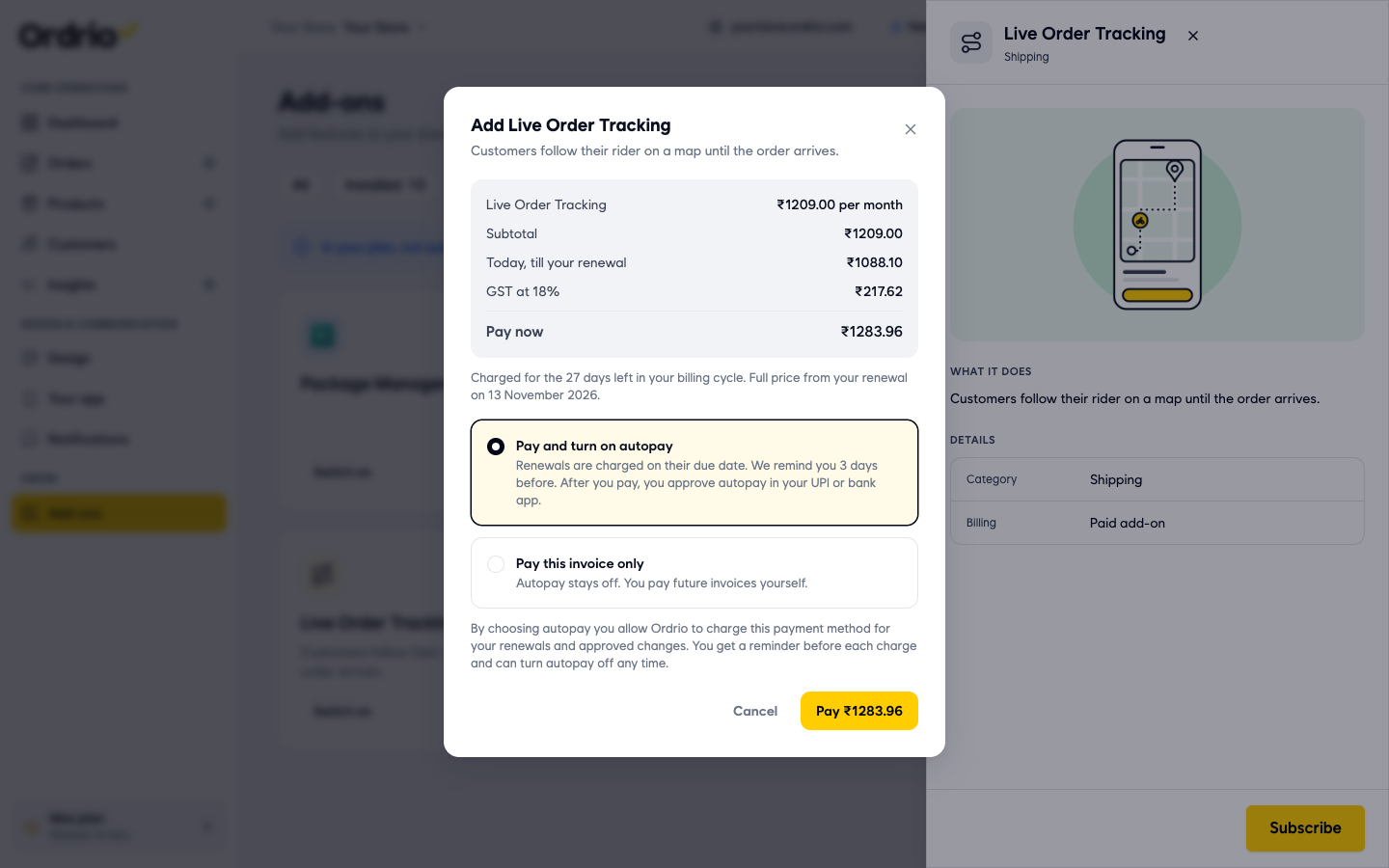
- Click the Pay button (it shows the amount, for example Pay ₹1283.96) and complete the payment. To stop without paying, click Cancel.
Add In-House Delivery Fleet for your own riders
In-House Delivery Fleet lets you run your own riders: assign orders, track them and collect the cash they hold. Add it the same way:
- In Add-ons > Shipping, click Switch on on the In-House Delivery Fleet card.
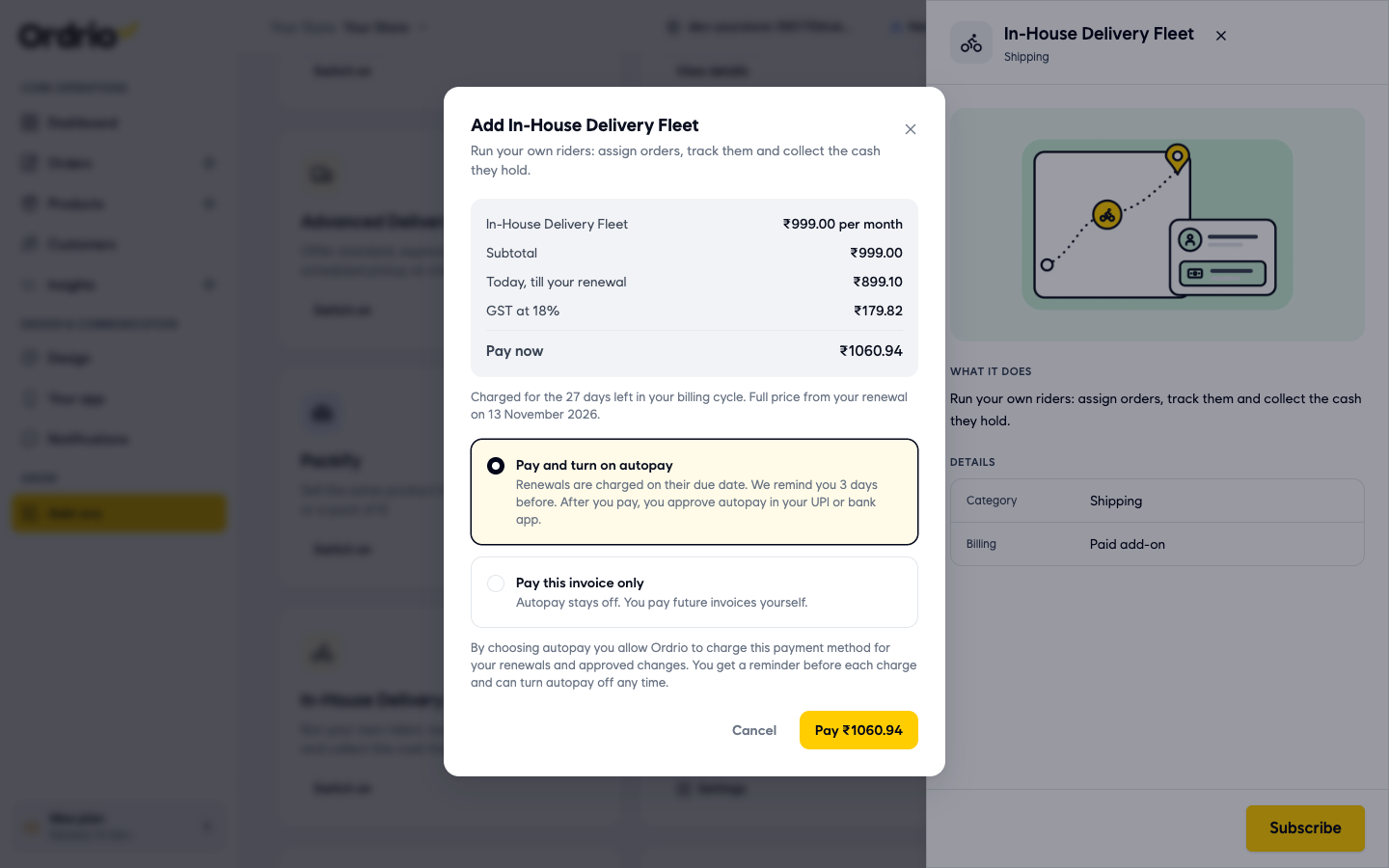
- Choose Pay and turn on autopay or Pay this invoice only, then click Pay and complete the payment.
Good to know
- Both add-ons are in the Shipping category and are billed as Paid add-on. The price in this article's screenshots is only an example. Your window always shows your own price.
- The first payment covers only the days left in your billing cycle. After that, the add-on renews at full price with your plan.
- With autopay on, you can turn it off any time.
- Live Order Tracking is what your customers see: their rider on a map until the order arrives. In-House Delivery Fleet is for you: assigning orders to riders, tracking them and collecting the cash they hold.
Related
- Delivery models explained
- Assigning orders to riders and delivery partners
- Enabling and managing add-ons
- Viewing and managing orders
Was this article helpful?